

Tags in WordPress Posts are important for organizing content on your website and making it easier for people to find what they're looking for. By learning how to edit tags effectively, you can improve the organization of your website and help visitors discover the content they're interested in. Follow along as we explain the ins and outs of editing tags in WordPress in a clear and easy-to-understand way.
Edit Tags in WordPress Post
A Tag is a piece of small information that tells about the post and is attached to the content for the purpose of identification. It helps you find the content very easily. Let’s see the steps to Edit Tags in WordPress Posts Easily and Quickly:
Step 1: Go to the WordPress login panel and provide the username and password to log in to the WordPress Dashboard. You can access the login panel by adding /wp-login.php at the end of your website URL.

After login into WordPress, you will be able to see a dashboard like this:
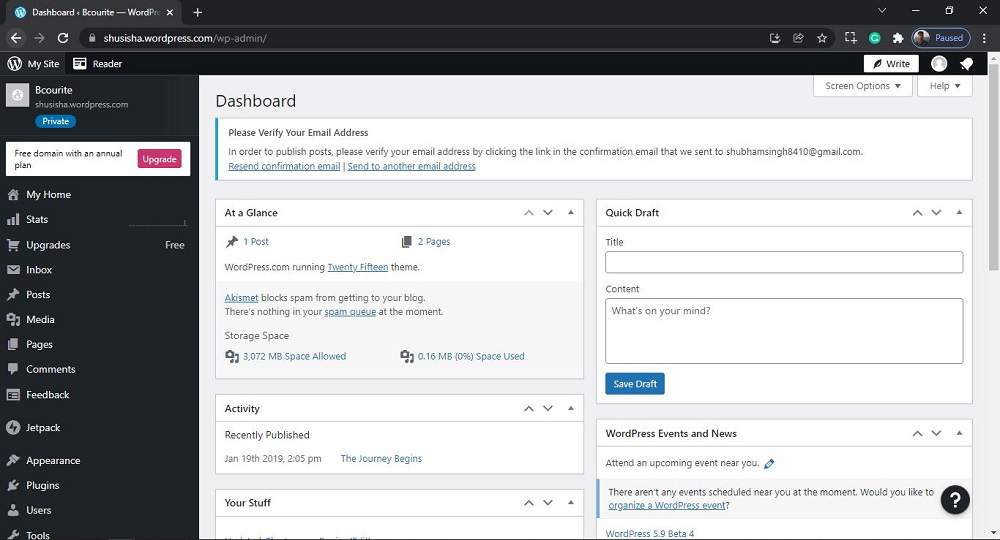
Step 2: We have to search and open the Post. For that, from the menu option on the left side, there are many options. Go to the Post >> Tags.

After clicking on Tags, you will see a similar Page like this:
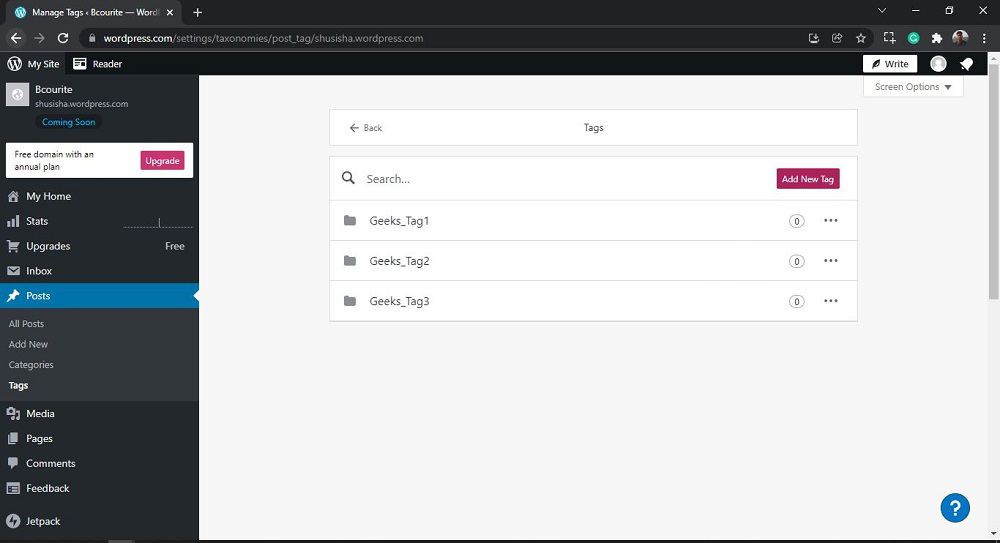
Step 3: Now you just need to select the tag you want to edit.
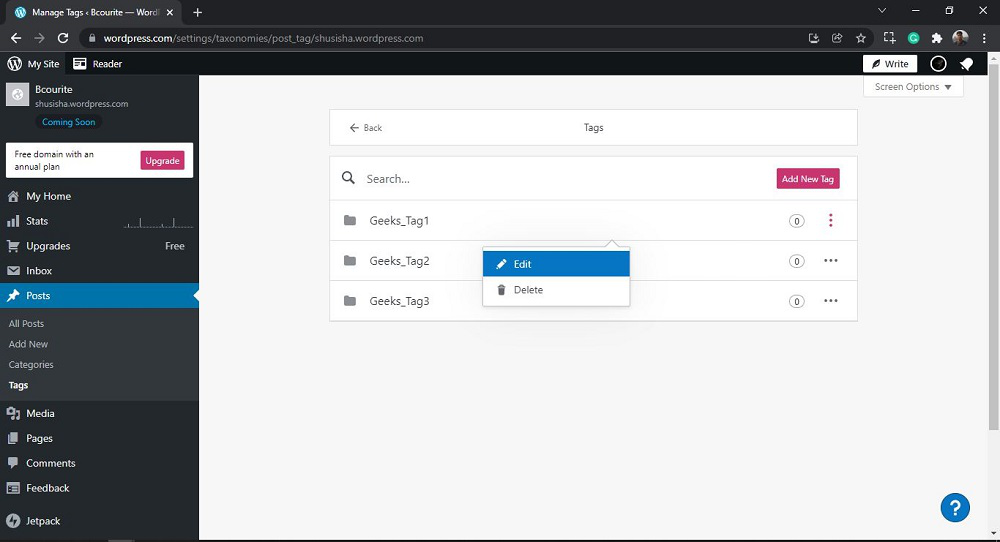
Click on the "more horiz" button for the selected tag you want to Edit then click on 'Edit' to edit to the Tags. Or Directly Click on the tag you want to Edit.
After Clicking, you will see a similar pop window like this:
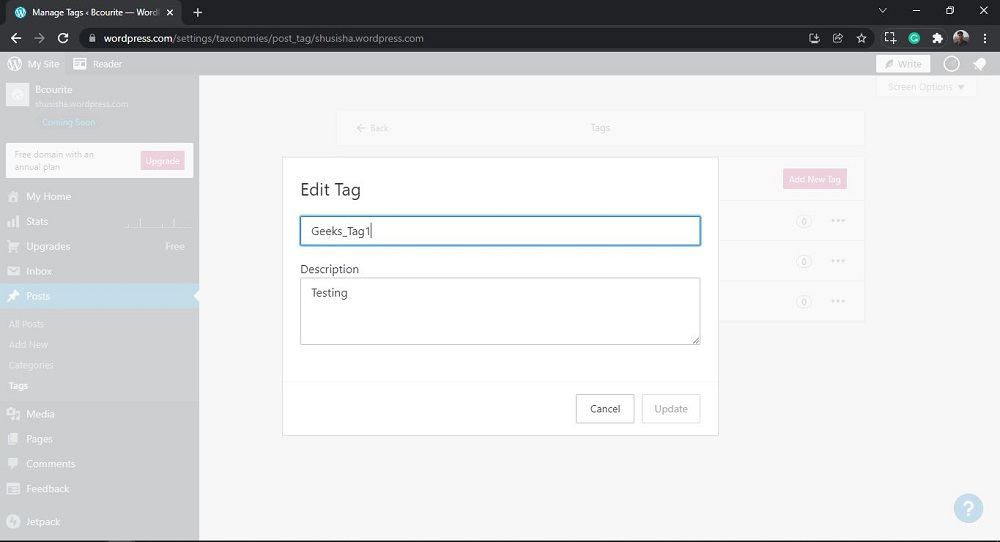
Now provide "New Tag Name" and "Description" like this.
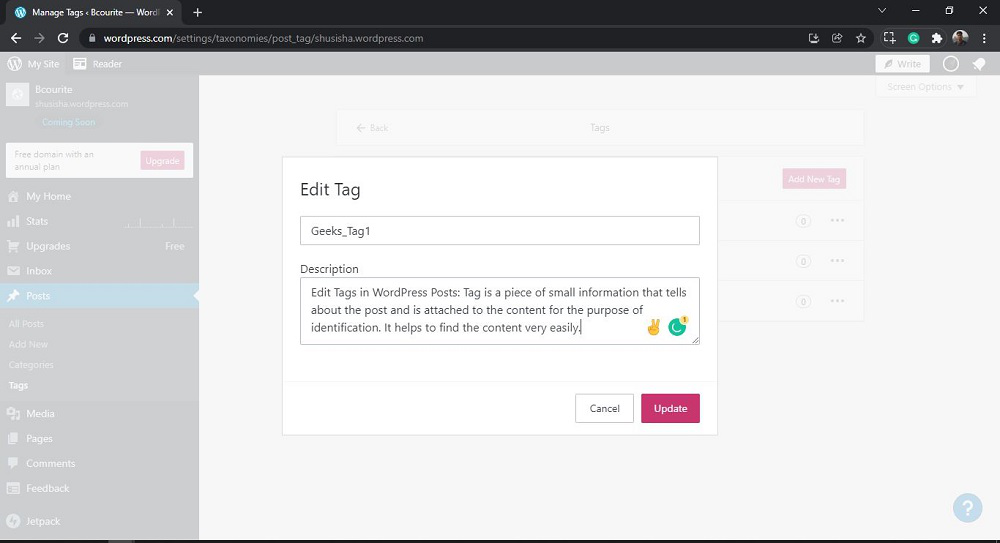
Then click on the Update button to done the changes in the Tag. After clicking you will see a similar Page like this:
That’s it, you have now successfully learned how to Edit Tags in WordPress Posts on your WordPress website.
Also Read:
- What are the template tags in WordPress ?
- WordPress Edit Tags
- How to use Categories & Tags in WordPress?
Conclusion
In conclusion, tags in WordPress posts play a important role in organising content and improving website navigation for visitors. By effectively editing tags, you can enhance the organisation of your website and make it easier for people to find the content they are looking for. In this article, we provided a clear and easy-to-understand guide on how to edit tags in WordPress posts.