

XPath and CSS Selectors are commonly used in Selenium WebDriver to locate web elements. They help automate actions like clicking buttons and entering text.
- XPath is flexible and supports complex navigation.
- CSS Selector is faster and simpler to use.
- CSS is preferred for speed, while XPath is useful for complex elements.
Locator
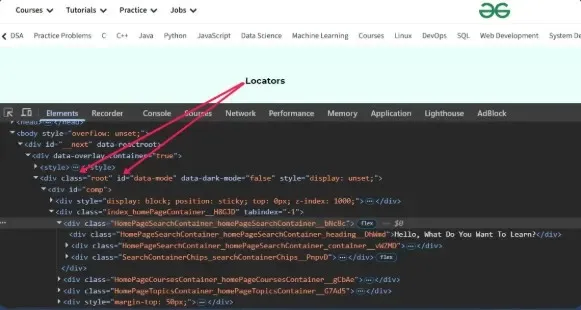
A locator is a piece of information used to identify and locate a specific element on a webpage. In Selenium, locators such as XPath and CSS Selectors are used to find elements like buttons, text boxes, and links. Locators help automation scripts interact with these elements by performing actions such as clicking, typing, or verifying text.
XPath
XPath (XML Path Language) is a query language used to locate and navigate elements in XML and HTML documents. In Selenium, XPath is used to identify web elements such as buttons, links, and text boxes by defining the path to those elements in the webpage structure.
Syntax: //tagname[@attribute='value']
Types of XPath Locators
There are two types of XPath for locating elements in Selenium:
1. Absolute XPath: Absolute XPath uses the root element of the HTML/XML code and followed by all the elements which are necessary to reach the desired element. It starts with the forward slash '/'
2. Relative XPath: In this, XPath begins with the double forward slash ‘//’ which means it can search the element anywhere in the Webpage.
What are CSS Selectors?
CSS selectors are used to target HTML Elements on your pages, allowing you to apply styles based on their ID, class, Type Attributes, and more. There are mainly 5 types of selectors, these are used to target elements by tag, .class, or id for fundamental styling needs.
Types of CSS Selectors
Here are the types of CSS Selectors for locating elements in Selenium:
- Basic Selectors: Basic selectors in CSS are simple tools used to target specific HTML elements for styling.
- Combinator Selectors: Combinators in CSS are used to define relationships between selectors, allowing you to style elements based on their hierarchy or positioning in the document.
- Attribute selectors: Attribute selectors in CSS target elements based on the presence or value of their attributes.
Differences between XPath vs CSS Selector
Here is the Differences between XPath vs CSS Selector with comparing proper aspects:
| Feature | XPath | CSS Selector |
|---|---|---|
| Definition | A language used to navigate XML/HTML documents. | A pattern used to select HTML elements using CSS rules. |
| Syntax | More complex and flexible. | Simpler and faster to write. |
| Speed | Generally slower. | Generally faster in browsers. |
| Direction | Can move both forward and backward in DOM. | Moves only forward in DOM hierarchy. |
| Supports Text Search | Yes (text()) | No direct text matching support. |
| Attribute Selection | Supports multiple complex conditions. | Good for simple attribute selection. |
| Traversing | Supports parent, child, ancestor, sibling traversal. | Limited traversal support. |
| Readability | Harder to read for beginners. | Easier and cleaner to understand. |
| Usage in Selenium | By.xpath() | By.cssSelector() |