

E-commerce websites manage large numbers of users and transactions daily, so testing is essential to ensure reliability, performance, and security. It helps deliver a smooth and safe shopping experience for customers.
- Ensures core features like product search, cart, and checkout work correctly
- Tests performance and stability under high traffic loads
- Protects customer data and payment information from security risks
Key Areas to Test on an E-Commerce Website
Before understanding different testing types, it is important to identify the major areas where defects commonly occur in an e-commerce system:
- Homepage & navigation: menus, banners, category links
- Search & filters: keyword search, sorting, category filtering
- Product pages: images, descriptions, prices, and stock status
- Shopping cart: add/remove items, quantity updates, price calculations
- Checkout & payment: address forms, coupon codes, payment gateway integration
- User accounts: registration, login, order history, wishlists
- Order management: confirmation emails, tracking, returns & refunds
Types of E-Commerce Testing
Below are the different types of testing used in e-commerce systems:
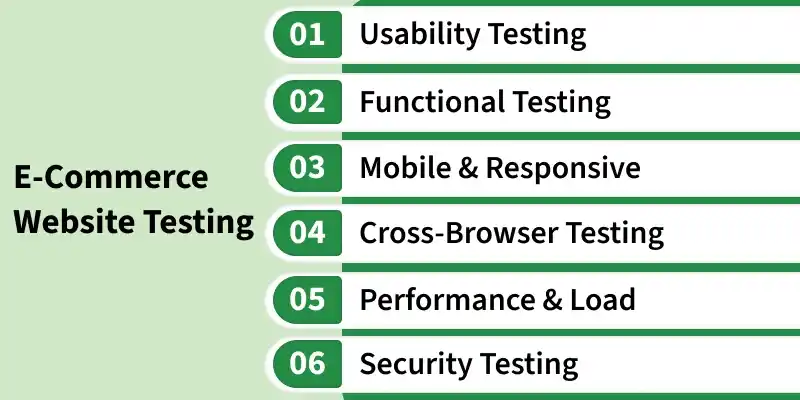
- Usability Testing: Evaluates the overall user experience. Can a first-time visitor find a product and check out without friction? Poor usability can negatively impact customer experience and conversions.
- Functional Testing: Validates that every feature works as expected — from adding a product to cart to completing a payment. It's the foundation of all e-commerce QA.
- Mobile & Responsive Testing: Confirms the site looks and functions correctly across all screen sizes and devices — phones, tablets, and desktops.
- Cross-Browser Testing: Ensures consistent behavior across Chrome, Firefox, Safari, and Edge. A broken layout in a browser like Safari can result in poor user experience and customer loss.
- Performance & Load Testing: Simulates heavy traffic to identify bottlenecks. Critical before sales events, product launches, or seasonal peaks like festivals and holidays.
- Security Testing: Checks for vulnerabilities like SQL injection, XSS attacks, and weak authentication. Ensures payment data and user information are fully protected.
E-Commerce Testing Tools
- Selenium: An open-source automation tool used for functional and regression testing of e-commerce applications across multiple browsers.
- Cypress: A modern end-to-end testing tool that simplifies testing of user workflows, forms, and checkout processes.
- JMeter: An open-source performance testing tool used to simulate heavy user traffic and measure website performance under load.
- Postman: Tests and validates APIs that power product listings, payments, and orders.
- OWASP ZAP: A free security testing tool that identifies common web vulnerabilities like SQL injection and XSS attacks.
- BrowserStack: A cloud-based platform used to test websites across different real browsers, devices, and operating systems.
- Google Lighthouse: A browser-based auditing tool used to measure website performance, accessibility, SEO, and best practices.
- Playwright: A powerful automation framework that supports reliable cross-browser testing for modern web applications.
Best Practices for E-Commerce Testing
- Write a comprehensive test plan covering all user journeys before development is completed.
- Automate regression tests to ensure every new release does not break existing functionality.
- Always test in a staging environment that closely replicates the production setup before deployment.
- Integrate testing into the CI/CD pipeline for continuous quality assurance.
- Perform load testing well before peak traffic events instead of at the last minute.
- Validate third-party integrations such as payment gateways, shipping APIs, and analytics tools independently.
- Cover edge cases like empty carts, expired coupons, failed payments, and out-of-stock items.
Common Mistakes to Avoid
- Skipping mobile testing and assuming desktop testing is sufficient.
- Ignoring edge cases in the checkout flow, where most revenue loss can occur.
- Not testing third-party integrations such as payment gateways and shipping APIs.
- Running load tests too late, just days before a major sale or launch.
- Overlooking accessibility standards, which can also impact SEO performance.
- Testing only the “happy path” and ignoring failure scenarios like declined payments.
Importance of E-Commerce Website Testing
A poorly tested e-commerce site doesn't just annoy users — it costs real money. Here's why testing should be a priority from day one:
- Revenue protection: Bugs in checkout or payment flow directly kill conversions.
- Customer trust: Security flaws or crashes erode brand credibility fast.
- SEO impact: Slow pages and broken links hurt search rankings.
- Regulatory compliance: Payment and data handling must meet PCI-DSS and GDPR standards.
- Mobile reach: Over 60% of shopping happens on mobile; untested mobile UX means lost sales.
Challenges of eCommerce Testing
- Security standards must be very high because sensitive user information, including card details, is stored.
- Ensuring application scalability during high traffic conditions.
- User interaction should be smooth, simple, and user-friendly.
- Accessibility to reach different domestic markets