

Localization Testing is a type of software testing that verifies whether an application is correctly adapted for a specific language, region, or locale. It ensures that translated content, date and time formats, currency, numbers, and cultural elements are accurate and appropriate for the target audience.
- Verifies language translation and regional settings.
- Ensures cultural and local preferences are correctly implemented.
- Confirms the application provides a seamless user experience for a specific locale.
Types of Localization Testing
- Language Localization Testing: Verifies that all content is correctly translated into the target language with proper grammar, spelling, and meaning.
- UI Localization Testing: Ensures that translated text fits properly in the user interface without layout issues, overlap, or truncation.
- Cultural Localization Testing: Checks whether images, colors, symbols, and content are appropriate and acceptable for the target culture.
- Regional (Format) Localization Testing: Verifies that date, time, currency, numbers, addresses, and phone formats match the target region standards.
- Functional Localization Testing: Ensures that all application features work correctly after applying localization changes.
- Content Localization Testing: Checks that all content is relevant, meaningful, and properly adapted for the local audience.
Localization Testing Process
Localization Testing ensures that a software application works correctly for a specific language, region, and culture. The process verifies translation, formatting, and regional compatibility.
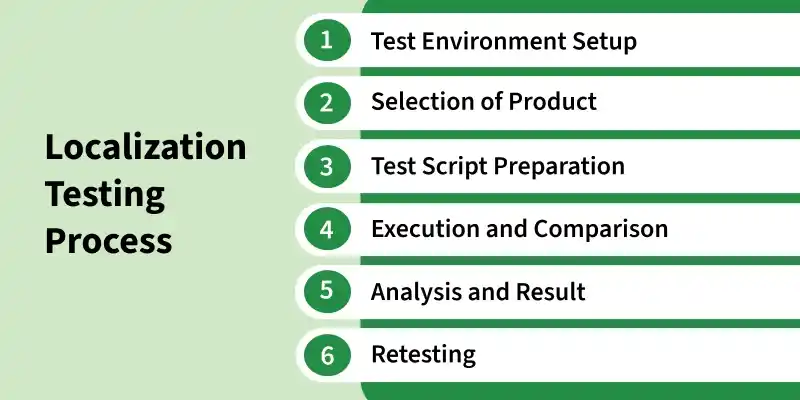
- Test Environment Setup: The testing environment is configured with the required language, locale, time zone, currency, and regional settings to simulate real users of the target region.
- Selection of Product: The application or product is selected for localization testing based on the target market and language requirements.
- Test Script Preparation: Test scripts are created according to the local language and cultural requirements to validate localized features.
- Execution and Comparison: The application is tested, and localized content is compared with expected regional standards for correctness in UI, language, and formatting.
- Analysis and Result: Test results are analyzed to identify localization issues, and findings are reported to the development team.
- Retesting: After fixes are applied, the application is retested to ensure all localization issues are properly resolved.
Test Cases for Localization Testing
- Language Translation Test Case: Verify that all text content is correctly translated into the selected target language without spelling or grammar errors.
- UI Layout Test Case: Check that UI elements (buttons, labels, menus) are properly aligned and not broken after localization.
- Functional Test Case: Ensure all application features (login, forms, links) work correctly in the localized version.
- Cultural Appropriateness Test Case: Verify that images, colors, icons, and symbols are culturally suitable for the target region.
- Date and Time Format Test Case: Check that date and time are displayed according to the selected locale format.
- Currency Format Test Case: Verify that prices and currency symbols match the regional standards.
- Character Encoding Test Case: Ensure special characters and local scripts (like Hindi, Arabic, Chinese) display correctly.
- Input Method Test Case: Check that users can enter data using local keyboard layouts without issues.
- RTL Layout Test Case: Verify that right-to-left languages (like Arabic) display correctly with proper alignment.
- Cross-Browser/Device Test Case: Ensure localized application works properly across different browsers, devices, and screen sizes.
Tools Used for Localization Testing
- TestComplete: Supports automated testing of localized desktop, web, and mobile applications.
- BrowserStack: Helps test localized applications on multiple browsers, devices, and operating systems.
- LambdaTest: Enables real-time testing of localization across different environments and browser combinations.
- Smartling: Used to manage, translate, and validate multilingual content in applications.
- Transifex: Helps teams collaborate on translation and ensure accurate localization of content.
- Lokalise: Provides tools for managing translations and testing localized app content efficiently.
Advantages of Localization Testing
- Ensures better user experience in native language
- Increases global reach and international users
- Improves customer satisfaction
- Reduces translation errors and confusion
- Enhances brand reputation globally
- Detects localization issues early
Limitations of Localization Testing
- High cost due to translation and testing effort
- Time-consuming process
- Complex management of multiple locales
- Dependency on accurate translators
- Frequent re-testing required after updates
- Difficulty maintaining consistency
Localization Testing Vs Globalization Testing
| Basis | Localization Testing | Globalization Testing |
|---|---|---|
| Meaning | Ensures application works correctly for a specific language and region. | Ensures application is designed to support multiple languages and regions. |
| Focus Area | Translation, cultural adaptation, and locale-specific formats. | Internationalization and support for multiple locales. |
| Stage | Performed after development for a specific locale. | Performed during design and development phase. |
| Purpose | Makes the application suitable for local users. | Makes the application ready for global users. |
| Scope | Narrow and region-specific. | Broad and worldwide. |
| Example | Checking Hindi language support for India. | Checking support for Hindi, Arabic, French, etc. |
| Dependency | Depends on a globalization-ready application. | Independent of any specific locale. |
| Changes Required | May require UI/content changes for each locale. | Avoids code changes for different languages. |