

Cypress is a modern JavaScript-based testing framework designed for testing web applications. It provides a fast, reliable, and developer-friendly environment for writing, executing, and debugging automated tests.
- Simplifies web application testing with an easy-to-use framework.
- Provides fast test execution with built-in debugging features.
- Helps automate testing of modern web applications efficiently.
Example: A QA engineer uses Cypress to automate a login test. The test enters user credentials, clicks the login button, verifies successful login, and captures screenshots if the test fails.
Types of Testing Supported by Cypress
Cypress supports multiple types of testing to validate the functionality, reliability, and quality of modern web applications.
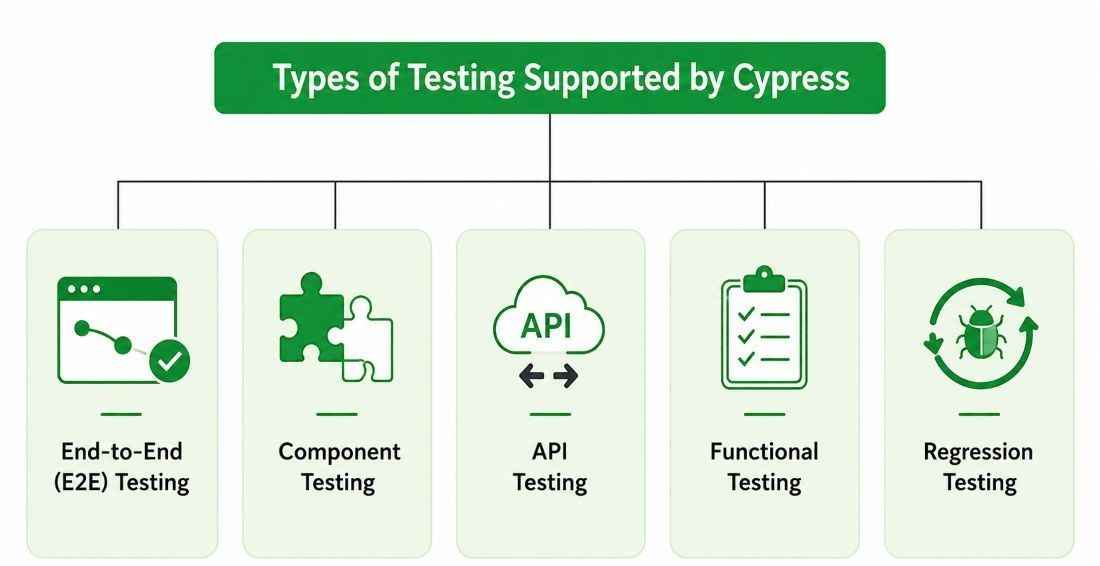
- End-to-End (E2E) Testing: Tests complete user journeys, such as login, registration, product search, checkout, and payment, by simulating real user interactions in a browser.
- Component Testing: Tests individual UI components in isolation to verify their rendering, behavior, and functionality before they are integrated into the application.
- API Testing: Validates REST APIs by sending HTTP requests using cy.request() and verifying response status codes, headers, response bodies, and other API behaviors.
- Functional Testing: Verifies that application features function according to the specified business and functional requirements.
- Regression Testing: Re-runs existing test cases after code changes, bug fixes, or enhancements to ensure that existing functionality continues to work as expected.
Cypress Test Execution Process
The Cypress test execution process automates browser interactions, validates application behavior, and produces detailed execution results.
- Write Test Cases: Create test scripts using Cypress commands, assertions, and test scenarios.
- Launch Cypress: Start the Cypress Test Runner or execute tests through the Cypress CLI.
- Execute Tests: Cypress opens the browser and performs user actions such as clicking, typing, scrolling, and navigation.
- Automatic Waiting: Waits automatically for elements, network requests, and assertions before proceeding to the next command.
- Validate Results: Uses assertions to verify UI elements, URLs, API responses, and application behavior.
- Generate Reports: Produces execution logs, screenshots, videos (if enabled), and detailed error information for debugging.
Features of Cypress Testing Framework
Cypress offers a rich set of features that simplify testing and improve accuracy, speed, and debugging efficiency.
- Fast test execution by running directly inside the browser.
- Automatic waiting for elements, requests, and assertions.
- Interactive Test Runner for real-time execution and debugging.
- Network interception to mock and monitor API requests and responses.
- Cross-browser testing support for Chrome, Edge, Firefox, and Electron.
- Built-in screenshots and video recording for failed test cases.
Applications of Cypress
Cypress is widely used to automate testing throughout the software development lifecycle.
- Web Application Testing: Automates testing of modern web applications.
- End-to-End Workflow Testing: Verifies complete business processes from start to finish.
- Component Validation: Tests reusable UI components independently.
- API Validation: Verifies API functionality, responses, and data integrity.
- Functional Testing: Ensures application features work as expected.
- Regression Testing: Detects issues introduced after new code changes.
Advantages of Cypress
- Fast test execution with direct browser interaction.
- Easy installation and minimal configuration.
- Automatic waiting reduces flaky tests.
- Real-time test reloading during development.
- Built-in debugging with screenshots and videos.
Limitations of Cypress
- Primarily supports web application testing only.
- Limited support for multiple browser tabs and windows.
- Requires JavaScript or TypeScript for test scripting.
- Limited support for older browsers like Internet Explorer.
- Cross-origin testing has certain restrictions.
Cypress vs Selenium
Below is a clear comparison between Cypress and Selenium based on their key features and working approach.
| Feature | Cypress | Selenium |
|---|---|---|
| Programming Language | JavaScript and TypeScript | Multiple languages (Java, Python, C#, JavaScript, Ruby, etc.) |
| Architecture | Runs directly inside the browser | Uses WebDriver to communicate with browsers |
| Speed | Faster test execution | Generally slower due to WebDriver communication |
| Setup | Simple installation and configuration | Requires browser drivers and additional setup |
| Supported Browsers | Chrome, Edge, Firefox, Electron | Chrome, Firefox, Edge, Safari, Internet Explorer, and more |
| Testing Support | End-to-End, Component, and API testing | Web UI automation and integration with other tools for broader testing |
| Multiple Tabs/Windows | Limited support | Fully supported |
| Cross-Browser Testing | Supports major modern browsers | Supports a wider range of browsers, including legacy browsers |
| Best For | Modern JavaScript-based web applications | Cross-browser testing and enterprise-level automation |