Dynamic API Routes in Next.js allow you to create API endpoints with dynamic URL segments. They are useful for handling requests based on route parameters, such as user IDs, product IDs, or blog slugs, without creating separate API files for each resource.
- Create API endpoints with dynamic URL parameters.
- Capture route parameters using square brackets ([]).
- Support HTTP methods such as GET, POST, PUT, and DELETE.
- Ideal for building RESTful APIs in the App Router.
Steps to Create Dynamic API Routes in Next.js
Step 1: Create a Next.js application
npx create-next-app@latest next-dynamic-apiMove to the project directory:
cd next-dynamic-apiStep 2: Create the Project Structure
next-dynamic-api/
│
├── app/
│   └── api/
│       └── students/
│           └── [studentId]/
│               └── route.js
├── package.json
└── ...
Step 3: Create the Dynamic API Route
File:app/api/students/[studentId]/route.js
import { NextResponse } from "next/server";

export async function GET(request, { params }) {
  const { studentId } = await params;

  return NextResponse.json({
    message: "Student details fetched successfully",
    studentId,
  });
}
Step 4: Run the Application
npm run devStep 5: Test the API
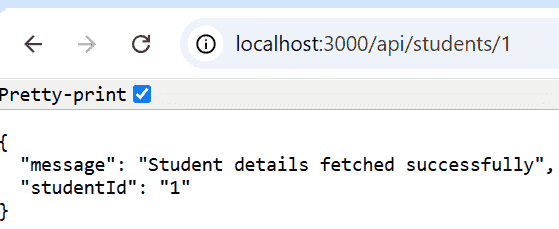
Open the following URLs:
http://localhost:3000/api/students/1
Output:
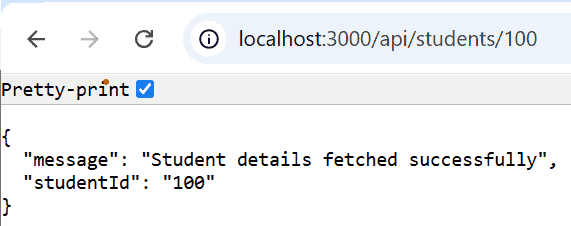
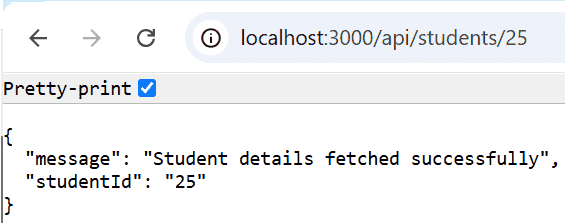
http://localhost:3000/api/students/25Output:
http://localhost:3000/api/students/100Output: