

Jest is a JavaScript testing framework used to verify that code works as expected and remains reliable. Developed by Facebook, it offers a simple setup process and supports various testing approaches, making it a popular choice for JavaScript and React applications.
- Provides a zero-configuration setup and an easy-to-use testing API.
- Includes features like snapshot testing, mocking, and code coverage reporting.
- Works well with React, Node.js, and other JavaScript projects.
- Supports automated testing in CI/CD pipelines.
Key Features of Jest
- Easy Setup: Jest requires minimal configuration, allowing developers to start testing quickly without complex setup processes.
- Snapshot Testing: It captures application output and compares it with future test runs to detect unexpected changes.
- Mocking Support: Jest provides built-in mocking features that help isolate functions, modules, and external dependencies during testing.
- Asynchronous Testing: It supports testing asynchronous code using Promises, async/await, and callback functions.
- Code Coverage and Performance: Jest generates code coverage reports and runs tests in parallel to improve testing efficiency.
Performing Basic Test
Steps to run the test:
- First install Jest by running:
npm install --save-dev jest- Add the following line to your existing package.json to enable running the test with the jest framework:
"scripts": {
  "test": "jest"
}
- Let us write a basic and simple test to check if a function returns the correct output or not.
- Write this code in your files.
JavaScript // sum.js function sum(a, b) { return a + b; } module.exports = sum;
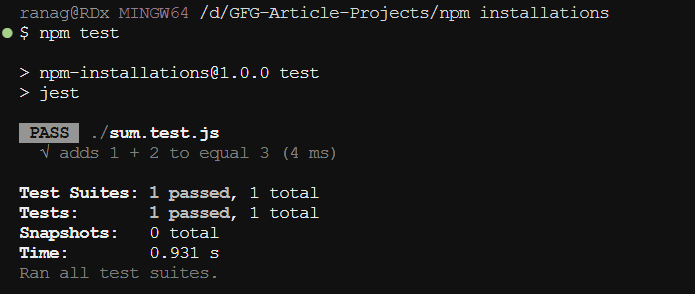
JavaScript // sum.test.js const sum = require('./sum'); test('adds 1 + 2 to equal 3', () => { expect(sum(1, 2)).toBe(3); });
Output:
Asynchronous Testing
Testing the asynchronous code with Jest is straightforward. Here lets explore this with an example of promise:
- First install the jest as the dev dependencies.
npm install --save-dev jest- and then write the following line as the test script in the package.json file
"scripts": {
    "test": "jest"
 }
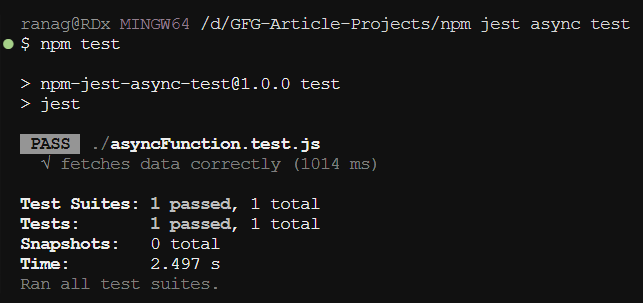
Example: This example shows the jest test on the asynchronous function.
// asyncFunction.js
const fetchData = () => {
    return new Promise((resolve) => {
        setTimeout(() => {
            resolve('data');
        }, 1000);
    });
};

module.exports = fetchData;
// asyncFunction.test.js
const fetchData = require('./asyncFunction');

test('fetches data correctly', async () => {
    const data = await fetchData();
    expect(data).toBe('data');
});
asyncFunction.js
- The fetchData function returns a promise that resolves with the string 'data' after a 1-second delay usin setTimeOut.
asyncFunction.test.js
- The test imports the fetchData and uses the Jest framework's test function to check if the fetch is working correctly or not by returning the data. The async keyword allows us to await the promise, ensuring the test waits for the fetchdata results before using except to comapre it with 'data'.
Use cases of Jest:
- Unit and Integration Testing: Jest is commonly used to test individual functions as well as the interaction between different modules, helping developers identify issues before deployment.
- React Application Testing: It is widely used for testing React components, ensuring that user interfaces render correctly and respond properly to user actions.
- Snapshot and Mock Testing: Jest can compare UI snapshots to detect unexpected changes and mock dependencies such as APIs or external services to test code in isolation.
- Automated Testing Workflows: Jest is often integrated into CI/CD pipelines to automatically run tests whenever code changes are made, improving code quality and reliability.