

In JavaScript, there are three primary mechanisms for client-side data storage: cookies, local storage, and session storage. Each has its own use cases and characteristics. Here we will focus on comparing local storage and cookies—two commonly used storage methods in web development.
What are Cookies?
Cookies are small text files that are stored on the user’s computer and sent back to the server with each HTTP request. They typically hold up to 4 KB of data and are used for storing information in the form of key-value pairs. Cookies are a staple of the web and have been used for years to manage user sessions, preferences, and tracking.
Example: The below code example implements the cookies in JavaScript.
<!DOCTYPE html>
<html lang="en">

<head>
    <meta charset="UTF-8">
    <meta name="viewport"
          content="width=device-width,
                   initial-scale=1.0">
    <title>JavaScript closest()</title>
</head>

<body>
    <center>
        <h1>GeeksforGeeks</h1>
        <h3>
            First Click the Set Cookie button to
            set the cookie and then Get Cookie
            button to get it.
        </h3>
        <p id="result"></p>
        <button id="setBtn">
          Set Cookie
        </button>
        <button id="getBtn">
          Get Cookie
        </button>
    </center>

    <script>
        const result = document.getElementById('result');
        const setBtn = document.getElementById('setBtn');
        const getBtn = document.getElementById('getBtn');

        function setCookie() {
            if(document.cookie.length !== 0){
                result.innerHTML =
                  `Cookie is already settled!!`;
            }
            else{
                document.cookie =
                  "visitorname: Emrit Kumar;";
            }

        }

        function getCookie(){
            if(document.cookie.length !== 0){
                result.innerHTML =
                  `Cookie: <b>${document.cookie}</b>`;
            }
            else{
                result.innerHTML =
                  `Please set the cookie first!!`;
            }
        }

        setBtn.addEventListener('click', setCookie);
        getBtn.addEventListener('click', getCookie);
    </script>
</body>

</html>
Output:

Applications of cookies:
- Cookies are often used to store small amounts of data, such as user preferences, authentication tokens, and session information.
- They are also used to track user behavior and advertising preferences.
- In addition, cookies can be used to store temporary data, such as the contents of a shopping cart, that need to persist between pages but are not necessary to persist between visits.
What is Local Storage?
Local storage is a modern client-side storage method that is part of the HTML5 specification. It allows you to store up to 5 MB of data in key-value pairs and, unlike cookies, it does not send data back to the server with each request. Local storage persists until explicitly deleted, making it a good option for saving data that should remain available even after the browser is closed.
Example: The below code example implements the local storage in JavaScript.
<!DOCTYPE html>
<html lang="en">

<head>
    <meta charset="UTF-8">
    <meta name="viewport"
          content="width=device-width,
                   initial-scale=1.0">
    <title>JavaScript closest()</title>
</head>

<body>
    <center>
        <h1>GeeksforGeeks</h1>
        <h3>
            First Click the Set storage
            button to set the storage and
            then Get storage button to get it.
        </h3>
        <p id="result"></p>
        <button id="setBtn">
            Set Local Storage
        </button>
        <button id="getBtn">
            Get Local Storage
        </button>
        <button id="deleteBtn">
            Delete Local Storage
        </button>
    </center>

    <script>
        const result = document.getElementById('result');
        const setBtn = document.getElementById('setBtn');
        const getBtn = document.getElementById('getBtn');
        const deleteBtn = document.getElementById('deleteBtn');

        function setStorage() {
            if(localStorage.getItem("Username") !== null){
                result.innerHTML =
                  `Storage is already settled!!`;
            }
            else{
                localStorage.setItem("Username", "Emrit Singh");
            }

        }

        function getStorage(){
            if(localStorage.getItem("Username") !== null){
                result.innerHTML =
                  `Storage: <b>${localStorage.getItem("Username")}</b>`;
            }
            else{
                result.innerHTML =
                  `Please set the storage first!!`;
            }
        }

        function delStorage(){
            if(localStorage.getItem("Username") !== null){
                localStorage.clear();
            }
            else{
                result.innerHTML =
                  `No storage available to delete!!`;
            }
        }

        setBtn.addEventListener('click', setStorage);
        getBtn.addEventListener('click', getStorage);
        deleteBtn.addEventListener('click', delStorage);
    </script>
</body>

</html>
Output:
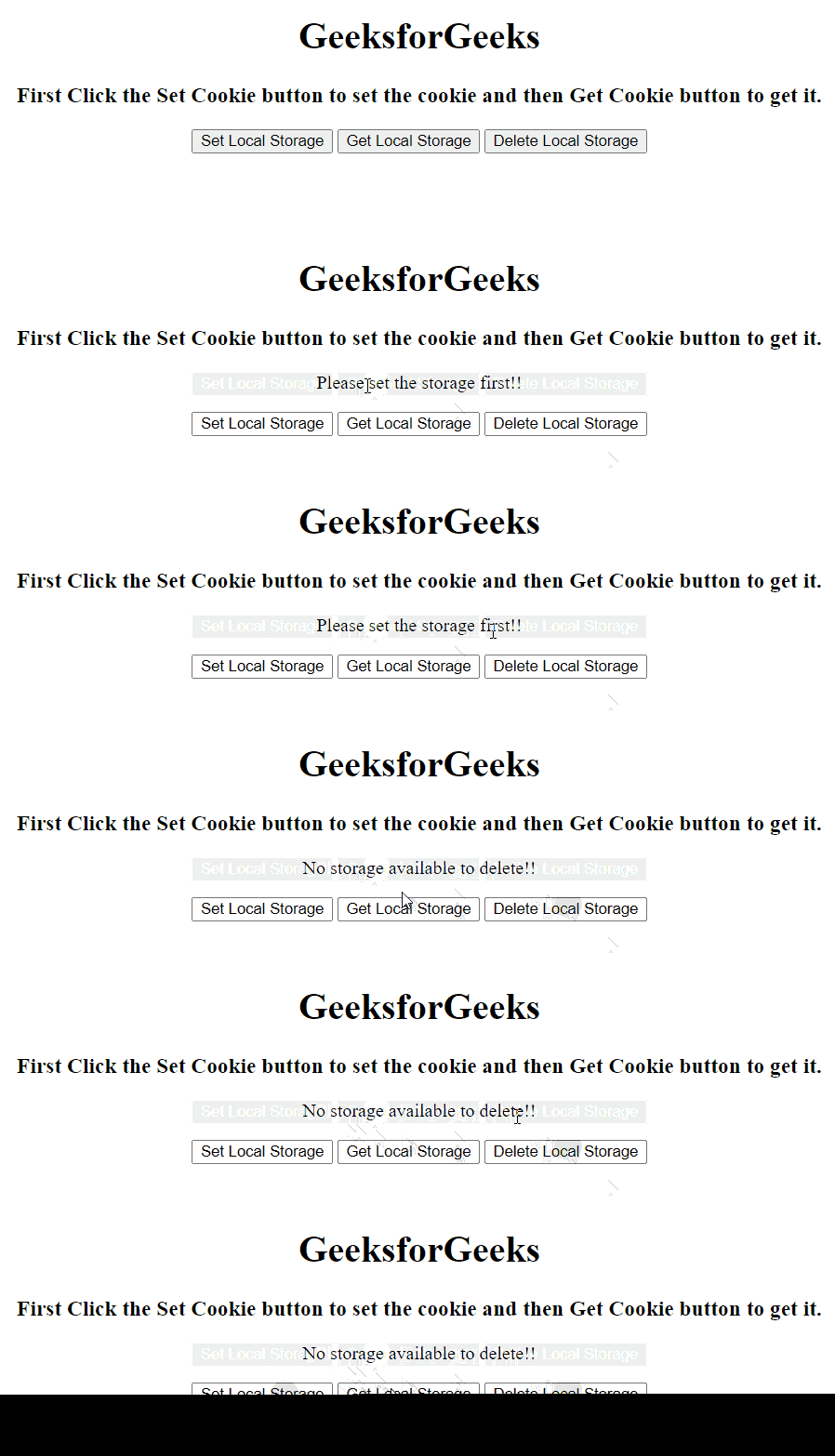
Applications of local storage:
Local storage is a better option for storing larger amounts of data that needs to persist between visits to a website. For example, it can be used to store user preferences, saved game data, or application state. It can also be used to store data that needs to persist between pages but does not need to be sent back to the server with each request.
Differences Between cookies and local storage
| Feature | Cookies | Local Storage |
|---|---|---|
| Size | 4 KB | 5 MB |
| Data Type | Strings | Any JavaScript Object |
| Sending Data to the Server | Sent with each request | Not sent with requests |
| Expiration | Can be set to expire at a specific date or time | Persists until manually cleared or deleted |
| Sharing between Subdomains | Can be shared between subdomains with proper configuration | Limited to the specific domain |
| Security | Can be encrypted for added security | No encryption, but stored data can be encrypted by the application |
| Privacy | Can be disabled by users in their browser settings | Not affected by user browser settings |
| Accessibility | Available in all modern browsers | Available in all modern browsers |
| Performance | Slower than local storage | Faster than cookies |
| API | Simple API for basic operations | More robust API with more advanced operations |
| Usage | Best for small amounts of data and for tracking user behavior | Best for large amounts of data that needs to persist between visits |
Conclusion
When choosing between local storage and cookies, it's important to consider the amount of data you need to store, as well as the security and privacy requirements of the application. Cookies are a good option for small amounts of data that need to be sent to the server with each request, while local storage is better suited for larger amounts of data that need to persist between visits to the website.