

The Pattern class in Java, available in the java.util.regex package, is used to define and compile regular expressions. It converts a regex string into a reusable pattern object, which can then be used with the Matcher class to perform pattern matching on text.
- Used together with the Matcher class for matching operations.
- Improves performance by compiling the regex only once.
- Provides methods for creating matchers and working with regular expressions.
// Pattern matching using Regex
import java.util.regex.*;

public class Geeks {

    public static void main(String[] args) {

        // Creating a pattern
        Pattern p = Pattern.compile("GeeksforGeeks");

        // Creating a matcher for the input
        Matcher m = p.matcher("GeeksforGeeks");

        // Checking if the pattern matches
        boolean b = m.matches();

        // Condition check whether the pattern is matched
        if (b) {
            System.out.println("Pattern Matched");
        } else {
            System.out.println("Pattern Not Matched");
        }
    }
}
Output
Pattern Matched
Explanation: In the above example, the Pattern.compile("GeeksforGeeks") method compiles the string "GeeksforGeeks" into a pattern. The m.matches() checks if the entire input string exactly matches the pattern.
Pattern Class Structure
As we can see in the below image, the Pattern Class belongs to java.util.regex (package), and the package belongs to java.base (module). The pattern class defines no constructor.
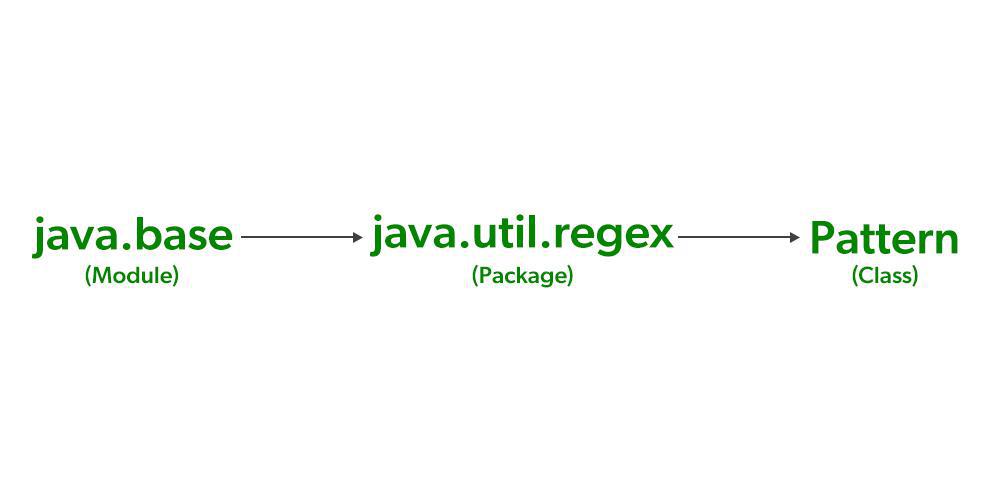
So, let us see how a pattern is created. The pattern is created using the compile() factory method.
Syntax of Key Methods in Pattern Class
1. compile(String pattern): Compiles the given regex into a Pattern object, which can be used for matching operations.
static Pattern compile(String pattern)
2. matcher(CharSequence input): Creates a Matcher object for a given input string. The Matcher is used to perform matching operations like matches(), find(), and replaceAll().
Matcher matcher(CharSequence input)
Example: Searching for Substrings with the find() Method
The find() method of the Matcher class is used to search for the next subsequence that matches the pattern in the input string. The find() method can locate the pattern within a larger string.
import java.util.regex.*;

public class Geeks {

    public static void main(String[] args) {

        // Creating a pattern
        Pattern p = Pattern.compile("GeeksforGeeks");

        // Creating a matcher for the input
        Matcher m = p.matcher("GFG stands for GeeksforGeeks");

        // Determining if the input sequence contains the
        // subsequence that matches the pattern
        if (m.find()) {
            System.out.println("Subsequence GFG found");
        } else {
            System.out.println("Subsequence not found");
        }
    }
}
Output
Subsequence GFG found
Explanation: In the above example, the Pattern.compile("GeeksforGeeks") method creates a pattern to search for "GeeksforGeeks". The matcher.find() searches for the occurrence of the pattern in the input string and returns true if found, otherwise false.
Advantages of Java Pattern Class
- Compiles regular expressions once for efficient reuse.
- Improves performance when the same regex is used multiple times.
- Simplifies text searching and pattern matching.
- Supports powerful regular expression features like character classes, quantifiers, and groups.
- Works seamlessly with the Matcher class for matching and validation operations.