

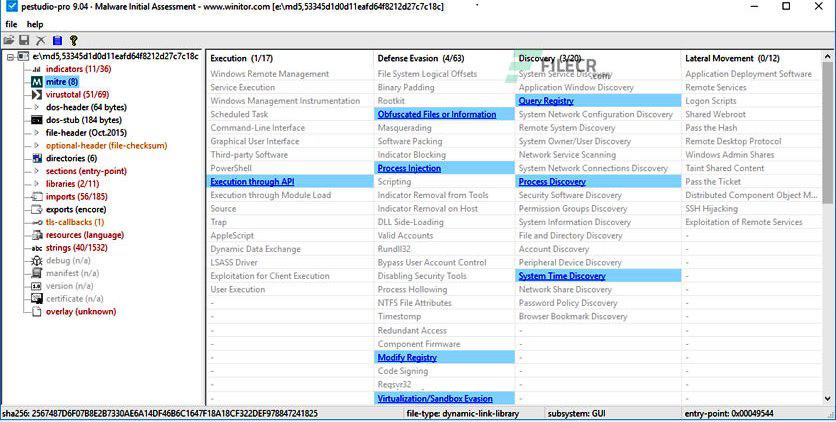
PeStudio is one of the most important tools for static malware analysis, allowing security professionals to quickly identify suspicious artifacts within executable files. Unlike dynamic tools, PeStudio ensures safe analysis since the malware is never executed. It helps analysts uncover:
- Suspicious indicators
- Malicious functionality
- Indicators of compromise (IOCs)
- Signs of packing or obfuscation
Key Features
1. General File Information
When a suspicious executable is loaded into PeStudio, it immediately reveals critical metadata:
- MD5/SHA hashes
- File size
- Entropy level
- Compile timestamp
PeStudio also automatically queries VirusTotal, displaying detection results directly within the interface. This helps analysts quickly determine if the file is already known to be malicious.
2. Section Analysis (PE Structure Insights)
The Sections tab provides a deep look into the internal structure of the executable:
- MD5 hash of each section
- Entropy values (detect packing/encryption)
- Entry point address
- Memory permissions (Read/Write/Execute)
Key Indicators to Watch:
- High entropy - Possible packing or encryption
- Executable + writable sections - Suspicious behavior
- Large .rsrc section - Potential dropper activity
If the .rsrc section is unusually large, the malware may drop additional payloads during execution. Analysts should monitor file creation during dynamic analysis.

3. Import Analysis (Understanding Malware Capabilities)
The Imports section reveals external functions used by the executable. These functions provide strong clues about malware behavior. PeStudio flags “blacklisted” or suspicious APIs, helping analysts quickly identify malicious intent.
Example Suspicious Imports:
- connect, socket, send - Network communication
- gethostbyname - DNS resolution
- GetAsyncKeyState - Keylogging
- memcpy - Memory manipulation
4. Export Analysis
The Exports section lists functions that the executable exposes to other programs.
- Most malware samples do not export functions
- If present, exports may indicate: DLL-based malware, Modular payload design
5. Resource Section Analysis
Malware often hides payloads inside resources, especially droppers. These files may be extracted and written to disk during execution.The Resources (.rsrc) section typically stores:
- Icons
- UI elements
- Embedded files
6. TLS Callbacks (Advanced Evasion Technique)
The TLS (Thread Local Storage) Callbacks section is critical but often overlooked.
1. Executes before the program’s entry point
2. Used by malware to:
- Evade detection
- Run hidden initialization code
- Bypass analysis tools
This technique allows attackers to execute malicious code before normal execution begins, making it a powerful stealth mechanism.
7. Strings Analysis (Quick Intelligence Extraction)
The Strings section extracts all readable text from the executable(IP addresses, URLs and domains, File paths, Registry keys, Command-line arguments). The ‘strings section’ of the sample analyzed is presented below.
8. Certificate Analysis
The Certificate section shows whether the file is digitally signed.
Key Observations:
- Unsigned files - Higher suspicion
- Invalid or untrusted certificates - Possible compromise
- Fake signatures - Common in malware
Legitimate software is usually signed, while many malware samples are not.
9. XML Reporting for Automation
PeStudio allows analysts to export findings as an XML report, which can be:
- Shared with teams
- Imported into SIEM tools
- Used in automated analysis pipelines
This feature enhances scalability and collaboration in security operations.
Limitations of PeStudio
- Cannot observe runtime behavior
- Limited against heavily obfuscated malware
- Requires analyst knowledge for interpretation