

GitHub Actions secrets securely store sensitive data like API keys and credentials, allowing safe access in CI/CD workflows without exposing them in source code.
- Secrets are encrypted and never committed to the repository.
- They are accessed in workflows using the secrets context at runtime.
- Secrets enable secure authentication with external services and APIs.
- Regular review and rotation of secrets improves pipeline security.
Configure Secrets in GitHub Actions
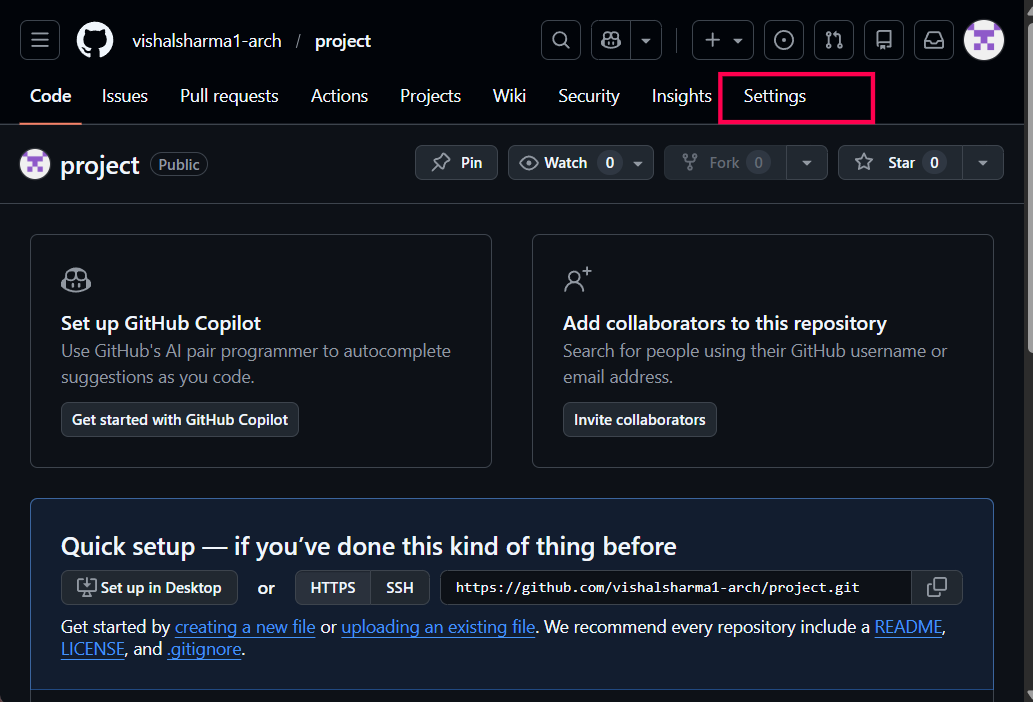
Step 1: Log in to the GitHub repository, click on the repository, and click on settings.
Step 2: Scroll down left side and click on secrets and variables and click on actions.
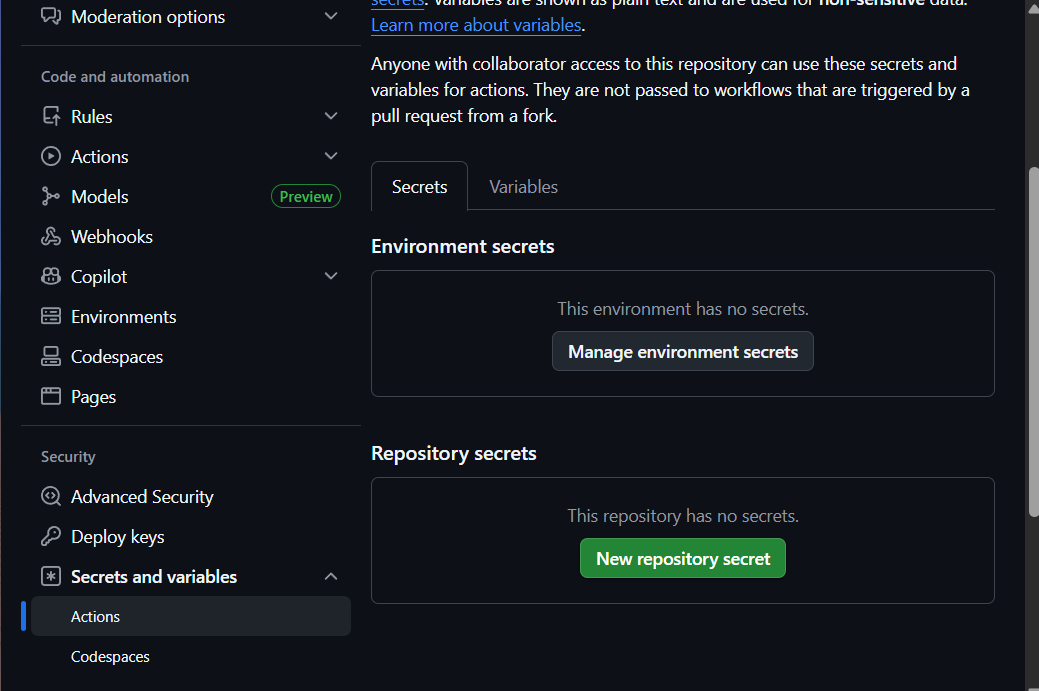
Step 3: Secret tokens and GitHub Actions
- In the left sidebar, select "Secrets."
- Click on the "New repository secret" button.
- Provide a name for your secret, such as "SERVICE_ACCOUNT_KEY."
- Paste the value of your secret into the "Value" field.
- Click on the "Add secret" button to save your new repository secret.
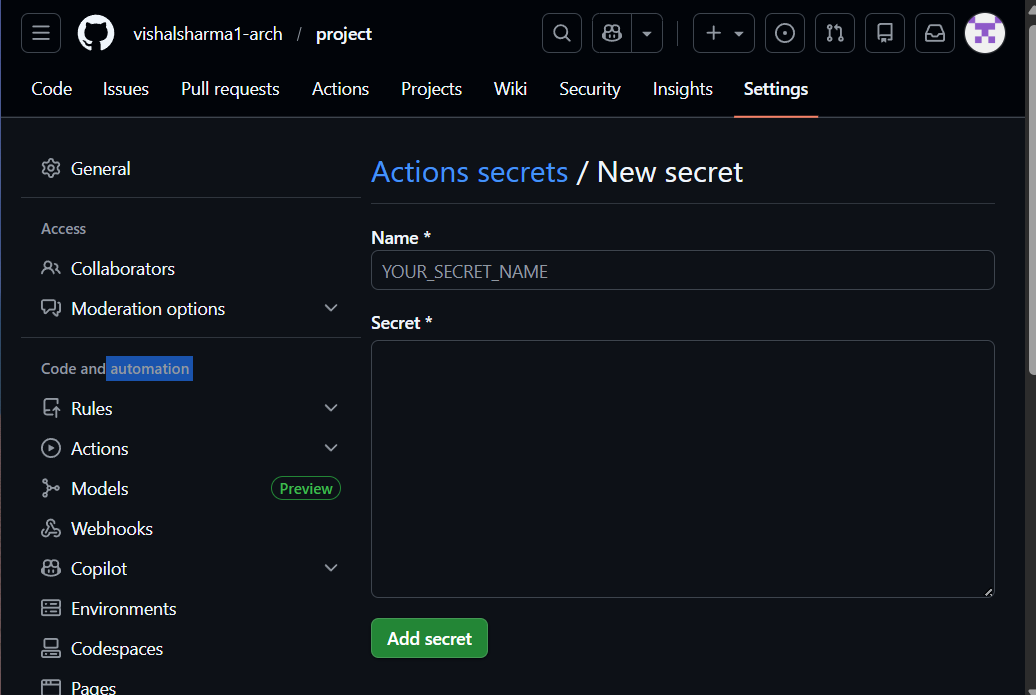
Step 4: GitHub Actions secret example
In this workflow, the SERVICE_ACCOUNT_KEY secret is used to authenticate with Google Cloud Platform(GCP) during the CI/CD process. Referencing the secret directly in the workflow keeps credentials secure and out of source code.
name: <Respective name of cicd>
on:
  push:
    branches: [ <Branch Name> ]
jobs:
  build-push-gcr:
    name: Build and Push to GCP
    runs-on: ubuntu-latest  #Runner
    env:
      IMAGE_NAME: <Image-name>
      PROJECT_ID: <Project-id>
    steps:
   #Checkout stage
    - name: Checkout
      uses: actions/checkout@v2
  #Call the secert into action file
    - uses: google-github-actions/setup-gcloud@v2
      with:
        service_account_key: ${{ secrets.SERVICE_ACCOUNT_KEY }}
        project_id: ${{ env.PROJECT_ID }}
        export_default_credentials: true
- Secrets Setup: The google-github-actions/setup-gcloud action configures the Google Cloud SDK and requires the SERVICE_ACCOUNT_KEY secret for authentication.
- Accessing Secrets: The service_account_key parameter securely retrieves the value from GitHub repository secrets at runtime.
- Secret Management: Secrets are stored and encrypted in GitHub settings, keeping sensitive data out of the workflow file.
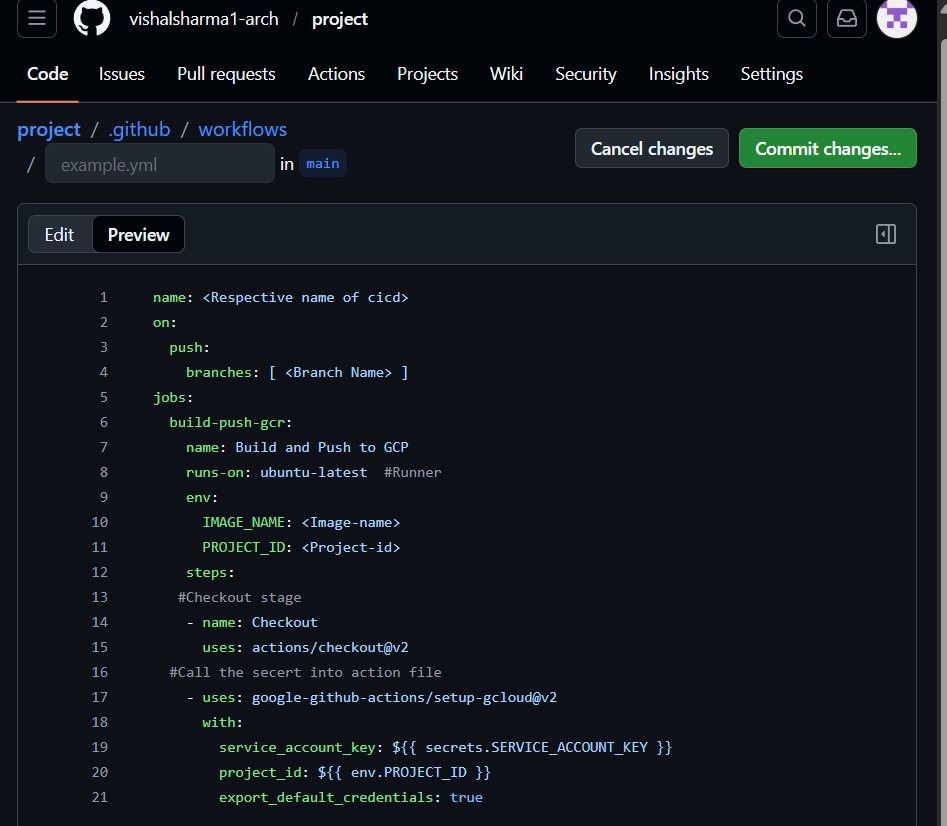
Step 5: Verify the console output of the github actions here the actions file calling the secrets from the secrets.
- Open the Actions tab and select the latest workflow run.
- Expand the job step that uses the secret.
- Confirm the step succeeds and secrets remain masked in logs.
Log GitHub Actions Secret
GitHub Actions allows secrets to be accessed in workflows using the env context. These secrets can be assigned to environment variables and referenced in steps during execution. However, logging secrets is not recommended, as GitHub automatically masks them in logs to prevent exposure.
name: <Respective name of cicd>
on:
  push:
    branches: [main]

jobs:
  log-secrets:
    runs-on: ubuntu-latest
    steps:
      - name: Log GitHub Actions Secrets
        env:
          SECRET_USER: ${{ secrets.USER }}
          SECRET_PASSW: ${{ secrets.PASSW }}
        run: |
          echo "Username: $SECRET_USER"
          echo "Password: $SECRET_PASSW"
- The env block maps repository secrets to environment variables.
- The echo command attempts to print these values, but GitHub masks secrets in logs.
- This behavior confirms secrets are accessed securely without revealing their actual values.
GitHub Actions Secret Review
You can review and manage GitHub Actions secrets from your repository settings to keep sensitive data secure and well maintained.
- Open your repository, go to Settings, then select Secrets and variables and choose Actions.
- Review the list of secrets and update or delete them when necessary.