

In microservices architecture, an API Gateway acts as a centralized entry point that dynamically routes client requests to the appropriate microservices. By integrating with a Service Discovery mechanism such as Eureka Server, the API Gateway can automatically discover available service instances and route requests without requiring hardcoded service URLs. This approach improves scalability, fault tolerance, and simplifies service-to-service communication in distributed systems.
- Enables automatic service discovery through Eureka Server without hardcoding service locations.
- Supports dynamic request routing based on available and healthy microservice instances.
- Improves scalability, high availability, and reduces client-side complexity in microservices architectures.
Working of Dynamic Routing and Service Discovery
- The User Service starts and registers itself with Eureka Server.
- The API Gateway also registers with Eureka and fetches the service registry.
- When a client sends a request to the API Gateway, it queries the Eureka registry.
- Eureka returns all available instances of the requested service.
- The API Gateway selects an instance using load balancing and forwards the request.
Steps To Implement a Dynamic Routing and Service Discovery in API Gateway
Follow the below steps to implement dynamic routing and service discovery using Spring Cloud Gateway and Eureka Server.
STEP 1: Create Eureka Server
The Eureka Server acts as a centralized service registry where all microservices and API Gateways register themselves.
1.1: Create Spring Boot Project
Create a Spring Boot project using Spring Initializr.
Add the following dependencies:
- Spring Web
- Eureka Server
- Spring Dev Tools
- Lombok
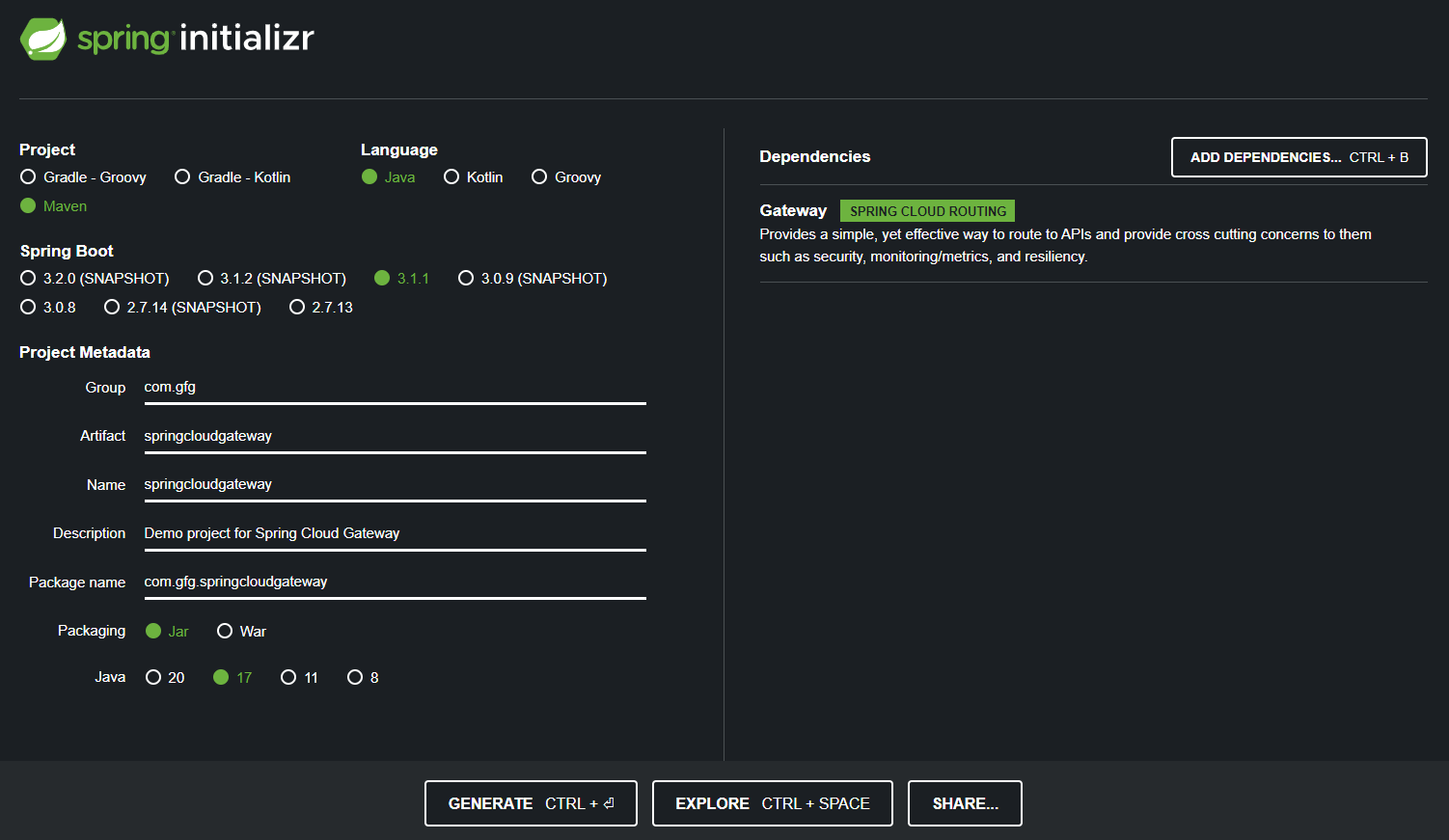
After adding the required dependencies, click on Generate to download the project. Extract the downloaded ZIP file and open the project in your preferred IDE, such as IntelliJ IDEA, Eclipse, or Spring Tool Suite (STS).
Below is the Folder Structure:
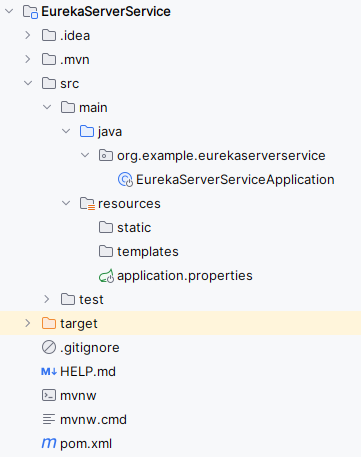
1.2: Review the Generated pom.xml File.
The generated pom.xml file should contain the Eureka Server dependency.
<dependency>
<groupId>org.springframework.cloud</groupId>
<artifactId>spring-cloud-starter-netflix-eureka-server</artifactId>
</dependency>
1.3: Configure application.properties
Configure the server port and Eureka Server properties.
spring.application.name=EurekaServerService
server.port=9099
eureka.instance.hostname=localhost
eureka.client.register-with-eureka=false
eureka.client.fetch-registry=false
eureka.client.service-url.defaultZone =http://${eureka.instance.hostname}:${server.port}/eureka
1.4: Enable Eureka Server
Enable Eureka Server functionality using the @EnableEurekaServer annotation.
package org.example.eurekaserverservice;

import org.springframework.boot.SpringApplication;
import org.springframework.boot.autoconfigure.SpringBootApplication;
import org.springframework.cloud.netflix.eureka.server.EnableEurekaServer;

@SpringBootApplication
@EnableEurekaServer
public class EurekaServerServiceApplication {

    public static void main(String[] args) {
        SpringApplication.run(EurekaServerServiceApplication.class, args);
    }

}
1.5: Run Eureka Server
- Run the Spring Boot application.
- After completing the project, run it as spring application and once it runs successfully, it will start at port 9099.
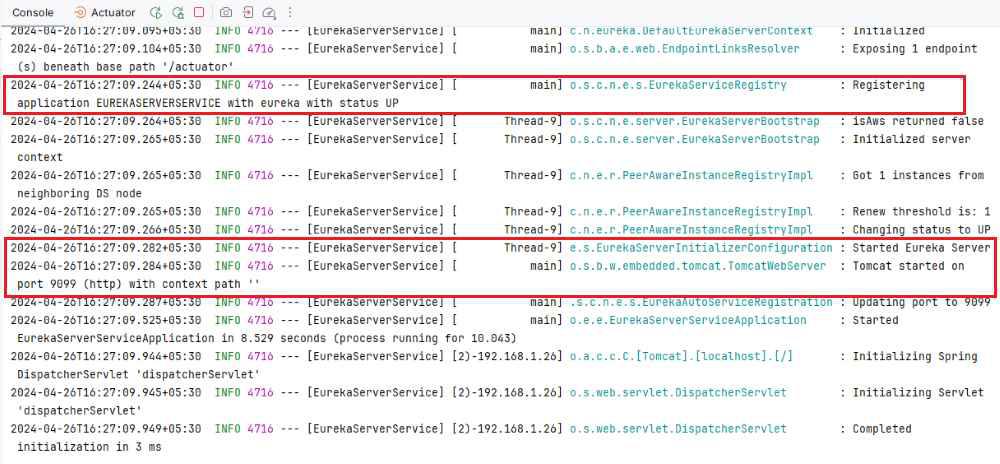
STEP 2: Create User Service (Eureka Client)
The User Service registers itself with Eureka so that it can be discovered dynamically by the API Gateway.
2.1: Create Spring Boot Project
Create a Spring Boot project using Spring Initializr.
Add the following dependencies:
- Spring Web
- Eureka Server Client
- Spring Dev Tools
- Lombok
After adding the required dependencies, click on Generate to download the project. Extract the downloaded ZIP file and open the project in your preferred IDE, such as IntelliJ IDEA, Eclipse, or Spring Tool Suite (STS).
After creating the project, the folder structure will be like below:
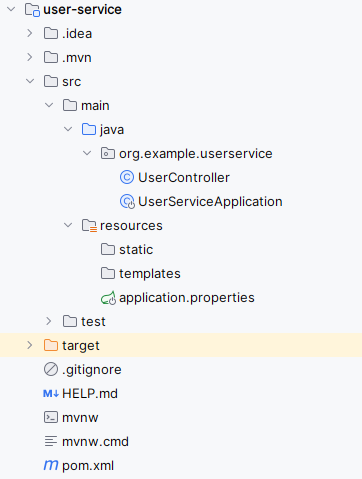
2.2: Review the Generated pom.xml File
The project should include the Eureka Client dependency.
<dependency>
<groupId>org.springframework.cloud</groupId>
<artifactId>spring-cloud-starter-netflix-eureka-client</artifactId>
</dependency>
2.3: Configure application.properties
Configure the application name, server port, and Eureka client settings.
spring.application.name=user-service
server.port=8086
eureka.instance.prefer-ip-address=true
eureka.client.fetch-registry=true
eureka.client.register-with-eureka=true
eureka.client.service-url.defaultZone= http://localhost:9099/eureka
2.4: Create REST Controller
Create a simple REST endpoint that will be accessed through the API Gateway.
package org.example.userservice;

import org.springframework.web.bind.annotation.GetMapping;
import org.springframework.web.bind.annotation.RestController;

@RestController
public class UserController {

    @GetMapping("/client")
        public String check() {
        return "Welcome to client";
        }
}
2.5: Enable Service Discovery
Enable Eureka Client functionality using @EnableDiscoveryClient.
package org.example.userservice;

import org.springframework.boot.SpringApplication;
import org.springframework.boot.autoconfigure.SpringBootApplication;
import org.springframework.cloud.client.discovery.EnableDiscoveryClient;

@SpringBootApplication
@EnableDiscoveryClient
public class UserServiceApplication {

    public static void main(String[] args) {
        SpringApplication.run(UserServiceApplication.class, args);
    }

}
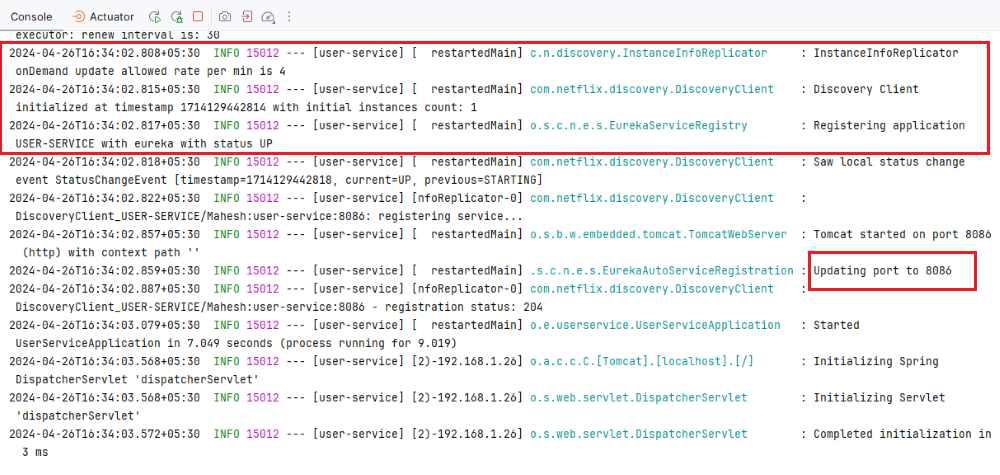
2.6: Run User Service
- Run the User Service application.
- After completing the spring project, it run as spring application once it runs successful then it starts at port 8086.
The service automatically registers itself with Eureka Server.
STEP 3: Create API Gateway for Dynamic Routing
The API Gateway dynamically discovers services registered in Eureka and routes requests without using fixed URLs.
3.1: Create Spring Boot Project
Create a new Spring Boot project using Spring Initializr.
Add Dependencies:
- Spring Web
- Eureka Server Client
- Spring Dev Tools
- Lombok
- Spring Cloud Routing
After creating the Spring project, the file structure looks like the image below.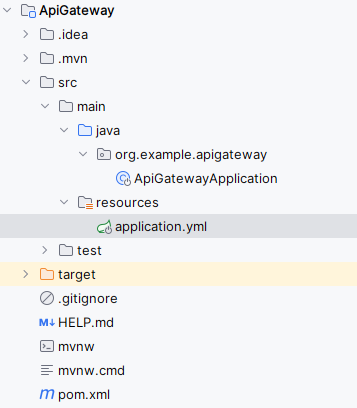
3.2: Configure application.yml
Rename application.properties to application.yml and configure dynamic routing.
- lb://USER-SERVICE enables load-balanced routing using Eureka.
- Path=/client/ forwards matching requests to User Service.
- The API Gateway dynamically discovers available service instances from Eureka.
server:
port: 9056
spring:
application:
name: API-GATEWAY
cloud:
gateway:
routes:
- id: USER-SERVICE
uri: lb://USER-SERVICE
predicates:
- Path=/client/
default-filters:
- DedupeResponseHeader=Access-Control-Allow-Credentials Access-Control-Allow-Origin
globalcors:
cors-configurations:
'[/]':
allowedOrigins: "*"
allowedMethods: "*"
allowedHeaders: "*"eureka:
client:
register-with-eureka: true
fetch-registry: true
service-url:
defaultZone: http://localhost:9099/eureka
instance:
prefer-ip-address: true
3.3: Enable Service Discovery
Enable discovery support in the API Gateway.
package org.example.apigateway;

import org.springframework.boot.SpringApplication;
import org.springframework.boot.autoconfigure.SpringBootApplication;
import org.springframework.cloud.client.discovery.EnableDiscoveryClient;

@SpringBootApplication
@EnableDiscoveryClient
public class ApiGatewayApplication {

    public static void main(String[] args) {
        SpringApplication.run(ApiGatewayApplication.class, args);
    }

}
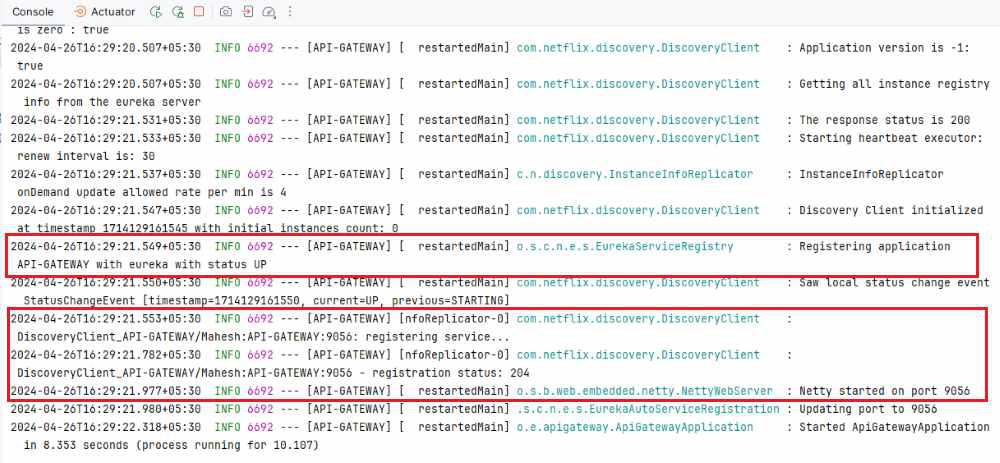
3.4: Run API Gateway
- Run the API Gateway application.
- Once the Spring project is completed and successfully runs as a Spring application, it will start at port 9056.
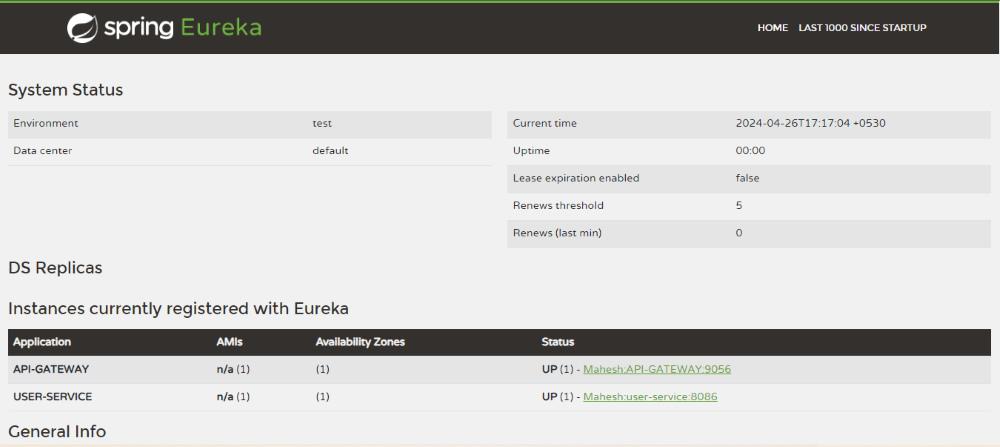
Open Eureka Dashboard:
http://localhost:9099
Now we here can see USER-SERVICE and API-GATEWAY registered successfully.
Test Dynamic Routing
Get the User-service microservice API access through the API Gateway routing mechanism port of the application.
GET http://localhost:9056/client
Output:
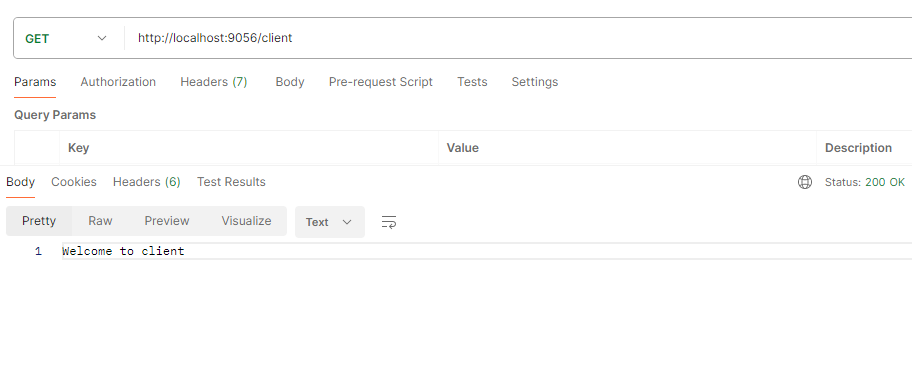
Explanation: In Dynamic Routing and Service Discovery, microservices register themselves with Eureka Server, and the API Gateway dynamically discovers these services at runtime. Instead of using hardcoded service addresses, the API Gateway retrieves available service instances from Eureka and routes requests automatically, providing scalability, fault tolerance, and efficient request distribution in microservices architectures.